


For software teams, the decision between GitHub Copilot vs Cursor for teams should start with operating fit rather than feature-count comparisons. A team working primarily inside GitHub may value centralized administration and an established platform workflow, while an editor-focused engineering group may prioritize repository-aware agents and flexible model usage.
Both products change quickly. Before publication and purchase, verify pricing, included allowances, model access, billing rules, and administrative controls against the cited vendor pages, then test forecastability, allowance limits, and administrative fit.
Quick answer: which teams should consider each tool?
GitHub Copilot deserves consideration when your organization prioritizes:
- GitHub-native development and code-review workflows
- Centralized organization or enterprise administration
- Familiar planning and governance processes
- A coding assistant that fits into an existing developer-tool stack
Cursor may be a stronger candidate when your developers prioritize:
- An editor-centered agent experience
- Repository-aware work across multiple files
- Flexible model and usage patterns
- Direct experimentation with agentic coding workflows
Team scale, repository complexity, and governance constraints change the decision. A small multi-editor product team may choose differently from a regulated enterprise with strict identity, budget, and data-handling policies.
Pricing: familiar seat planning versus usage-sensitive billing
Treat pricing as an operating cost rather than a monthly seat figure. Examine metering, allowance exhaustion, administrator limits, and finance-team forecasting.
GitHub documents organization and enterprise plan structures for Copilot, along with administrative capabilities intended for managed deployments.[1] Its organization and enterprise billing model also includes AI-credit and usage-based mechanics. Depending on the selected models and usage patterns, teams may need to account for consumption beyond a simple per-user subscription.[3]
That distinction matters for an engineering department with uneven usage. Ten licensed developers do not necessarily create ten equivalent cost profiles: one may use autocomplete occasionally, while another may run repeated agentic tasks, code analysis, or large-context requests.
Cursor’s team pricing documentation describes paid team seats, included usage pools, and possible on-demand usage.[2] The documented model includes per-user usage considerations, pool reset behavior, active-seat billing, spending controls, and team administration. Cursor’s broader pricing documentation also explains Auto and model-sensitive billing behavior.[4]
For procurement, compare subscription costs with likely overages, examine Cursor pool depletion and Copilot AI-credit controls, model low-, expected-, and high-usage cases, and verify prices and allowances before approval.
Neither product should be described as categorically cheaper. A predictable seat plan can still become expensive if adoption is low, while usage-sensitive billing can be efficient for some teams and difficult to forecast for others.
GitHub Copilot vs Cursor for teams: agents, editors, and repository workflow
For team adoption, start with the developers’ working environment. GitHub Copilot is a natural candidate for organizations already structured around GitHub repositories, pull requests, permissions, and review processes. Its fit is strongest when the AI assistant should extend an established GitHub-native coding workflow rather than introduce a separate center of gravity.[1]
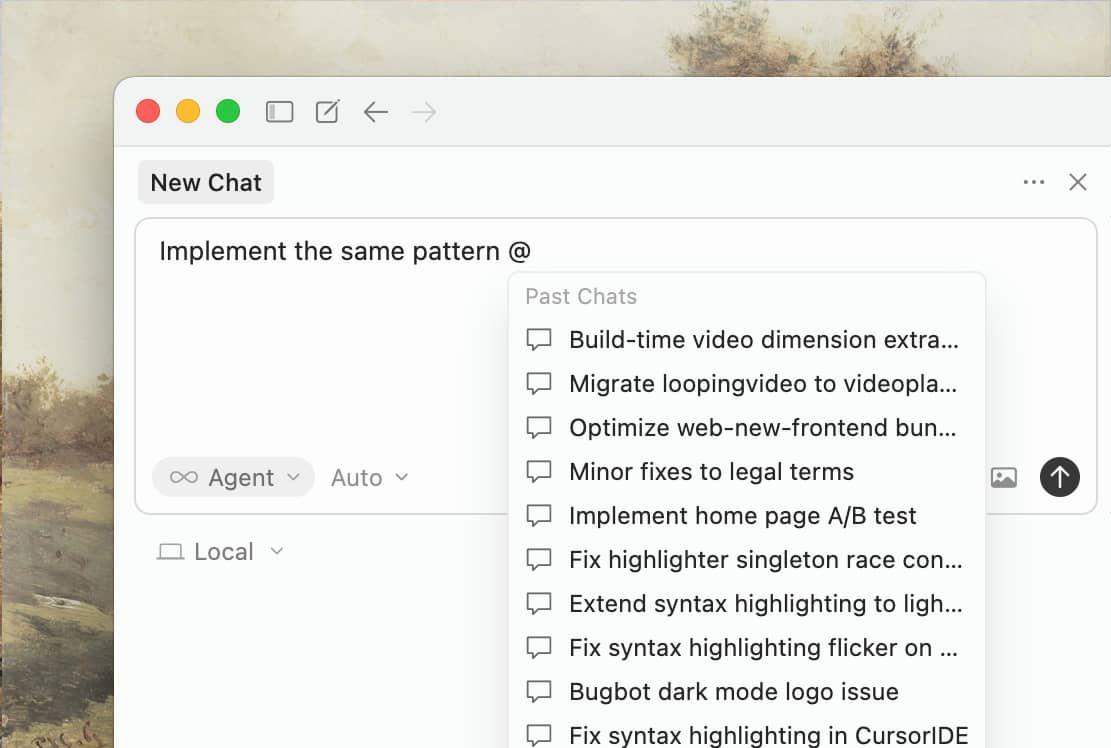
Cursor places more emphasis on an editor-centered experience. For teams that spend much of the day navigating repositories, asking for multi-file changes, refactoring code, or delegating bounded tasks to an agent, that workflow may be attractive. Cursor’s documented pricing and plan materials provide the relevant context for its model and usage behavior, but they should not be treated as independent proof of productivity or code-quality outcomes.[2][4]
When comparing the tools, evaluate the work developers actually perform. A team staying in its current IDE and GitHub workflow may weigh editor continuity differently from a team seeking an agent-oriented experience. Both teams should test repository context, including conventions, tests, and documentation, across common tasks such as code explanation, completion, multi-file fixes, refactoring, and feature preparation. The pilot should also show how generated changes are inspected, tested, approved, attributed in pull requests, and matched to the team’s approved model policy.
The workflow distinction is best tested against representative repository tasks; the available sources do not establish a universal performance ranking.
Administration, privacy controls, and governance
Enterprise adoption depends on controls around the assistant as much as on the assistant itself. GitHub’s organization and enterprise documentation provides a basis for reviewing plan structure and administrative management.[1] GitHub’s usage-based billing documentation is also relevant when platform teams need to understand budgets, consumption, and organizational billing mechanics.[3]
Cursor’s team documentation describes administrative features including team analytics, SAML or OIDC single sign-on, privacy-mode enforcement, active-seat billing, and spending controls.[2] Its broader plan documentation should be reviewed alongside the team pricing page when assessing Auto behavior and model-related billing.[4]
For a procurement or platform team, the review should connect identity provisioning and SSO with billing ownership, usage visibility, spending limits, privacy-mode enforcement, audit and data-handling documentation, repository boundaries, and rules for human review of generated code. For governance, the decisive test is whether each control can be enforced across the team’s actual operating environment.
These controls do not by themselves establish security, compliance, confidentiality, data retention, or regulatory suitability. Compare the cited controls with your policies, contracts, threat model, and applicable obligations.
Consider a company with separate production and research repositories. It may need different access policies, approved models, logging expectations, and spending thresholds for each group. The product with the longer feature list is not automatically the better governance choice; the better choice is the one that can be incorporated into a clear operating policy.
What pull-request evidence actually shows
Independent evidence can help, but it must be interpreted within its study design. The cited task-stratified analysis compares five AI coding agents across 7,156 pull requests from the AIDev dataset.[5] It reports an 82.1% acceptance rate for documentation tasks and 66.1% for new-feature tasks, illustrating how strongly task type can affect outcomes.[5]
Within the study’s defined setting, Cursor reportedly achieved an 80.4% acceptance rate for fix tasks.[5] The same research reports that no single agent performed best across every task type.[5]
These findings support a useful purchasing principle: do not evaluate an AI coding assistant using only one impressive demo. A team that mainly fixes regressions may observe a different result from a team building new services, updating documentation, or performing large refactors.
The study does not establish overall developer productivity, maintainability, software quality, security, or business value. It also does not determine which product will perform best in your repositories. Teams should treat it as bounded evidence and validate their own task mix against their own review standards.
Decision matrix for software teams
| Decision criterion | Lean toward GitHub Copilot when… | Consider Cursor when… |
|---|---|---|
| Developer workflow | Teams prefer GitHub-native processes and existing platform alignment. | Developers prioritize an editor-centered agent workflow. |
| Budgeting | The organization values familiar organization-level planning and controls. | The team can monitor pooled or model-sensitive usage. |
| Administration | GitHub organization or enterprise management is central to adoption. | Cursor’s documented analytics, SSO, privacy-mode, and team controls match requirements. |
| Repository work | Existing GitHub workflows are the primary operating context. | Developers need a highly agent-oriented repository experience to evaluate. |
| Task mix | The team wants to assess Copilot within its established toolchain. | The team has substantial fix, refactoring, or multi-file tasks to test. |
| Governance | Policies are already structured around GitHub administration. | The organization is prepared to implement tool-specific review and spending practices. |
Use the matrix to weight constraints, not to count abstract wins. The priorities of a GitHub-centered enterprise, a small multi-editor product team, and a team with unpredictable agent usage will differ.
Donusoft’s recommended evaluation approach
Donusoft recommends a controlled side-by-side pilot before committing to a broad rollout. Use representative repositories rather than demonstration projects, and include documentation, bug fixes, refactoring, and new-feature tasks.
Define acceptance criteria before developers begin and tie the pilot to procurement and engineering decisions. Track review effort, rework, acceptance outcomes, usage consumption, budget exposure, adoption, and privacy or governance findings.
Document approved models, repository boundaries, review requirements, escalation procedures, and spending thresholds. This is Donusoft’s proposed pilot methodology, not a reported result. The cited sources describe product capabilities and external study findings; your pilot must independently validate workflow, cost, and governance outcomes.
Conclusion: choose by operating model, not hype
GitHub Copilot vs Cursor for teams comes down to workflow, governance, and usage economics. Copilot may fit organizations that prioritize GitHub-native administration and established platform processes. Cursor may fit teams that prioritize an editor-centered agent experience and flexible usage patterns.
Make the decision against your team’s editor preference, repository workflow, task mix, identity controls, privacy requirements, billing tolerance, and review discipline. Use a representative pilot to test those criteria before making a long-term purchasing decision.
Frequently Asked Questions
How do GitHub Copilot and Cursor pricing differ for teams?
Copilot includes organization and enterprise plans with documented usage-based AI-credit mechanics and budget considerations.[1][3] Cursor team pricing combines paid seats with included usage and possible on-demand consumption, alongside team-level billing and spending controls.[2] Broader Cursor pricing documentation explains Auto and model-related billing behavior.[4] The pricing comparison should be read alongside the documented plan mechanics and usage scenarios above.
Does Cursor support team administration and privacy controls?
Cursor’s team documentation describes features such as team analytics, SAML or OIDC SSO, privacy-mode enforcement, active-seat billing, and spending controls.[2] These controls are not a complete privacy, security, compliance, or data-retention assessment. Buyers should review the current documentation against internal requirements.
What does research say about Copilot versus Cursor performance?
The cited study examines five AI coding agents across 7,156 pull requests in the AIDev dataset.[5] It reports different acceptance rates by task type, including 82.1% for documentation and 66.1% for new-feature tasks, and reports an 80.4% Cursor acceptance rate for fix tasks in its defined setting.[5] The findings should not be generalized to overall productivity or every repository.
;)


